If you want to install your Service on other PC’s. The you want to make an Installer Package.
Build the Setup Package for Your Windows Service:
Prerequisites: You will need to have .net 3.5 on the target pc.
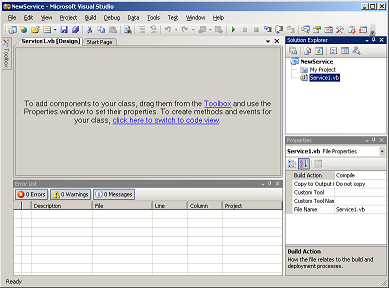
Choose File> Add> New Project.
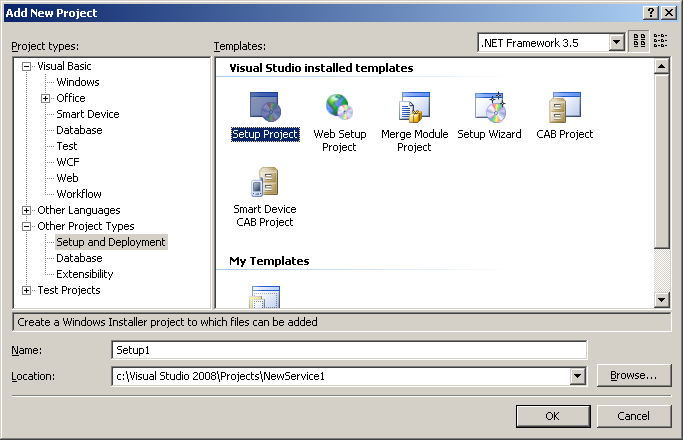
At the Add New Project window, Choose:
Right click on Setup1 in Solution Explorer and choose: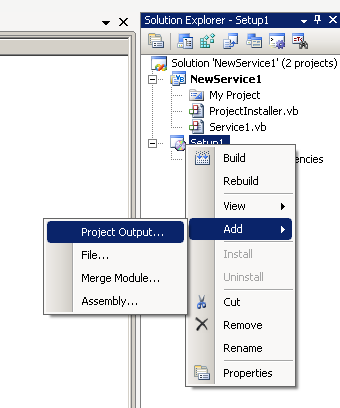
At Add Project Output Group, It will select NewService as the Primary Output. Just hit OK.
Then you need to tell Setup to Install the Service. Do this by right clicking Setup1. Choose View > Custom Actions.
Then right click Custom Actions, and choose Add Custom Action. In Select Item in Project, double click Application Folder:
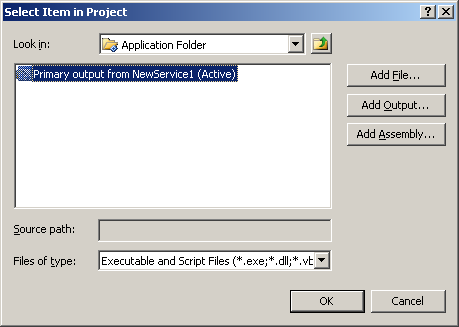
And choose OK. It will add one item for each custom Action:
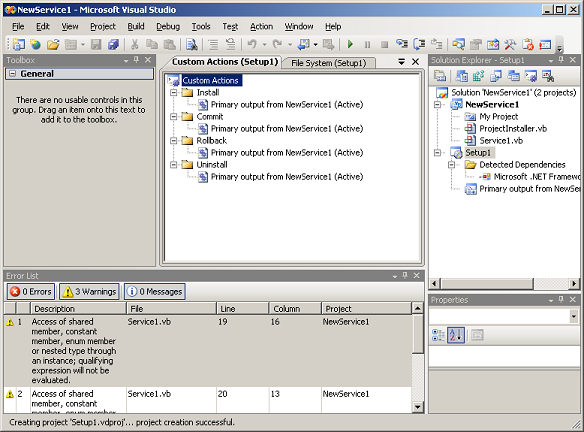
Next, Right click Setup1 and Build. It will create the Setup Executable in your Projects bin\release folder.
Thats It!. Run the Setup on the Target computer, and reboot. It will install and run the Service on reboot.

Programmers – Use your talents to make some money online. Click Here to Read More

Where did you get ProjectInstaller.vb?
Excellent post!
Thanks…
Very clear and works a treat. Spent a while in MSDN tearing my hair out before finding this, and its all I wanted. Now, if I want to, I can find out about all the bits, which is difficult if you don’t know what the bits are. Thanks very much!
Just what I needed to start me down the path. Uncluttered; nice.
Beautiful, just what was needed for this noob 😀 Lovely work
This was an excellent post very helpful and as has been said before better than MSDN clutter. Thanks for this contribution
Excellent post Thanks!
OMG this is just what i was looking for and i agree: the MSDN info is useless, this post of yours is awesome.
Now i only need to finnish figuring out the new Sockets thingie (old VB6 programmer making his first REAL VS 2008 application… Oh sweet Lord)
Thanks again!
Tried it on VS2008 on VISTA and it did not work. Service was installed properly but cannot be run from Services view. Message is “Permission denied”
There are those rare occasions when one searches the web for a VB Net ‘how-to’, and actually gets something that’s both easy-to-follow and actually works. This is one of those occasions. Great tutorial, thank you.