One of the best parts of having a Droid phone is being able to dock it while in the car. Free navigation, cool media player, and thousands of car type apps makes the Droid the thing to have in the car.
The Droid Bionic is a new phone from Motorola, has some killer specs and will be touting the new Verizon 4G LTE service.
This new phone will be sweet in the car, so I want to make sure I grab the Bionic car dock for it. I like being able to find accessories for phones somewhere outside the Verizon store, saving me some cash in the process.
Read more about the Droid Bionic Car Dock Here
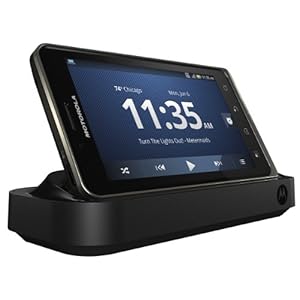 Now the Bionic multimedia dock is a little bit more than the normal multimedia docks for other phones. The Bionic is a webtop device, which means that your phone could essentially double as your laptop.
The bionic will be able to have a laptop-like device that will let you use it on the go. That will come in the future.
Right now, you can get the multimedia dock or HD dock as it is called sometimes. You will be able to connect a keyboard and mouse, along with an HDMI screen to ‘blow up’ your phone experience to new levels.
Check out the Bionic Multimedia Dock here
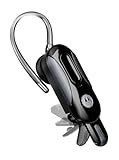
Your phone just is not complete unless you have a sweet bluetooth adapter. (Just don’t keep it in your ear all the time – OK? 🙂 The bluetooth headset has become a must have, especially in those states where driving and using the phone is illegal.
My favorite bluetooth headset is the Motorola H17 Bluetooth headset. My favorite part of this headset is the little ‘flapper’ that allows you to shut the unit off by just closing the flap. This keeps the headset going for months, because I never forget to turn it off. It also has special hooks into the Motorola phones that will read emails and text messages to you from the earpiece. O ya- it has great call quality too. It uses multiple microphones to cancel out noise that is not your voice so the other end hears you loud and clear.
I saw it at Amazon for a good price. Check it out here.
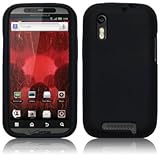
Most People like to have a case for thier phone. I can totally understand this, they just got done paying hundreds of dollars for a cool phone – why scratch it up?
Well I am not really one of those guys, but if you are, there are cool skins out there for the Droid Bionic. Like this silicone one. They stay on really well, and don’t add much heft to the phone.
With so many new phones out there today, I am very impressed with the Motorola lineup. With great build quality and superb call quality, these phones just cannot be beat.